Scan a price tag, see it in your currency.
Currency Converter & Scanner is an iPhone app for travelers. Point the camera at a price, menu or receipt and see what it costs at home, or use the built-in calculator with 100+ currencies and your own exchange rate.

What the app does
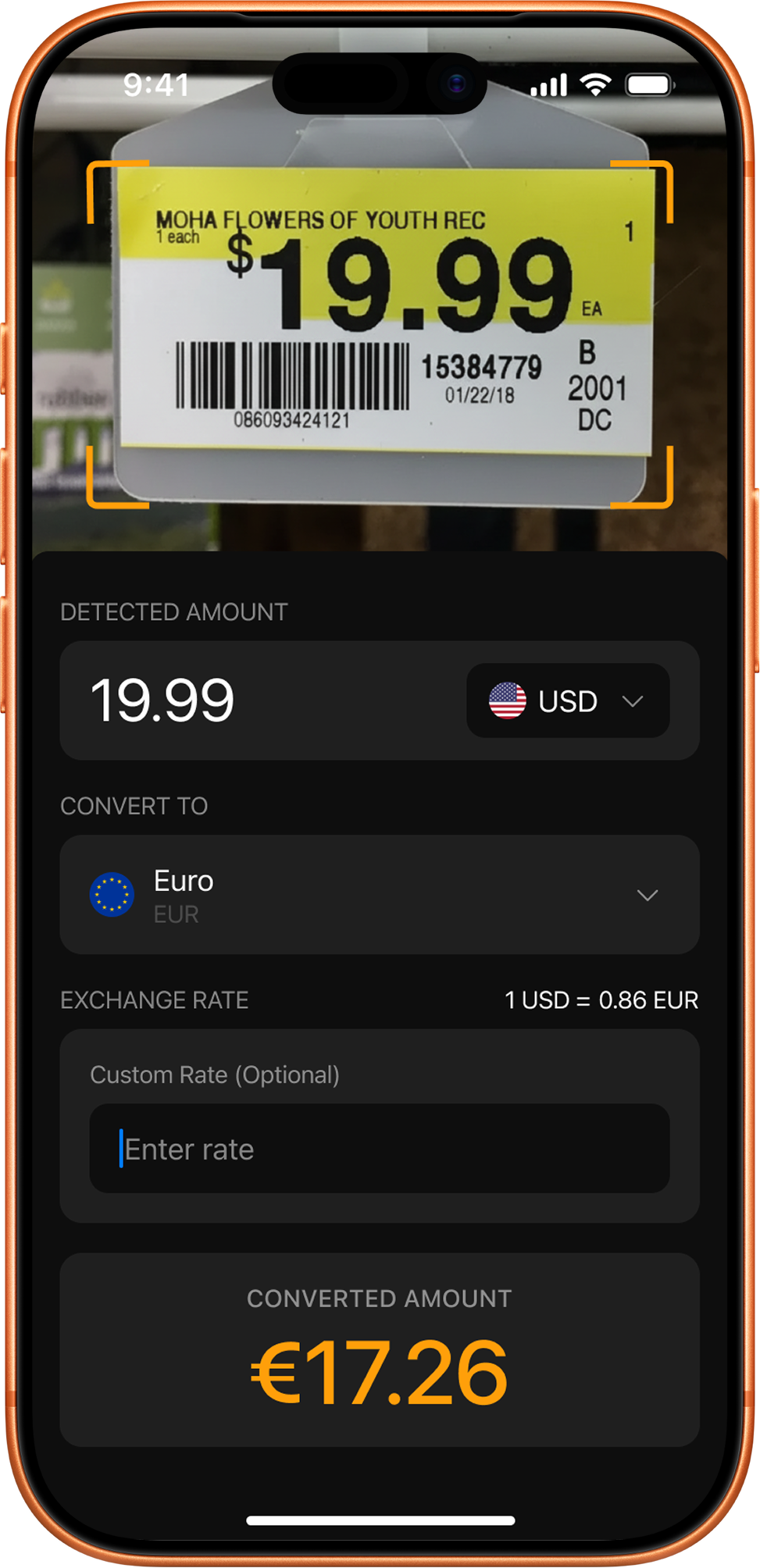
Camera price scanner
Point the camera at a price tag, menu or receipt. The app reads the number and converts it on the spot.
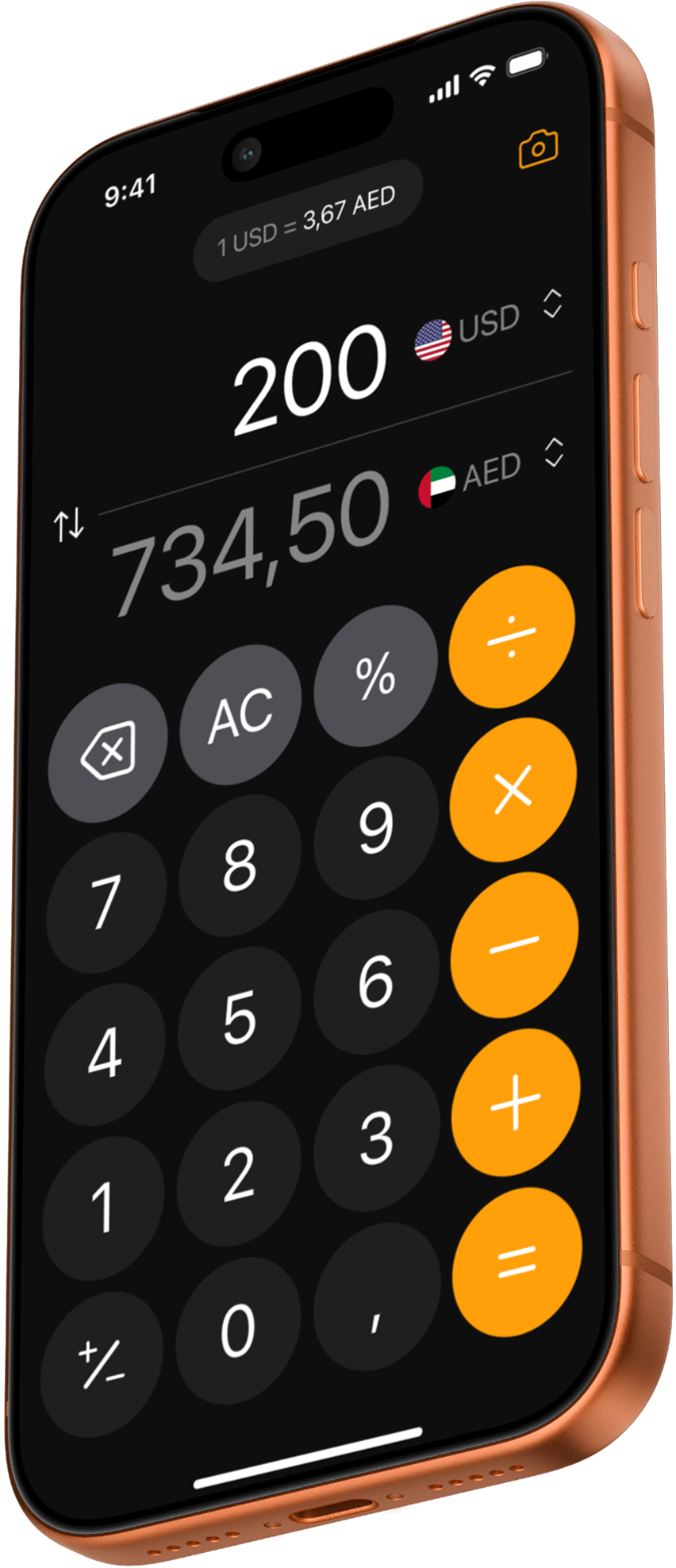
Converter with a calculator
A familiar iPhone-style keypad. Add up several prices or divide a bill, and see both currencies as you type.
Your own exchange rate
Enter the rate your bank, card or exchange booth actually gives you, and every result uses it.
Home screen widgets
See your 3 or 6 most used currencies converted into your home currency without opening the app.
Keeps working offline
No signal? The app keeps the last rate it loaded, and your custom rate, so you can still convert.
100+ currencies
From euro, yen and baht to dirham, lira and tenge, with search and flags to find yours fast.
How to check a price abroad in three steps
Pick your two currencies
For example, the local currency and the one you think in at home.
Scan or type the price
Tap the camera and point it at the price tag, or type the amount on the keypad.
Read the converted amount
The result uses today’s rate, or your own rate if you set one for a more exact answer.
Screenshots
Calculator converter Camera price scanner 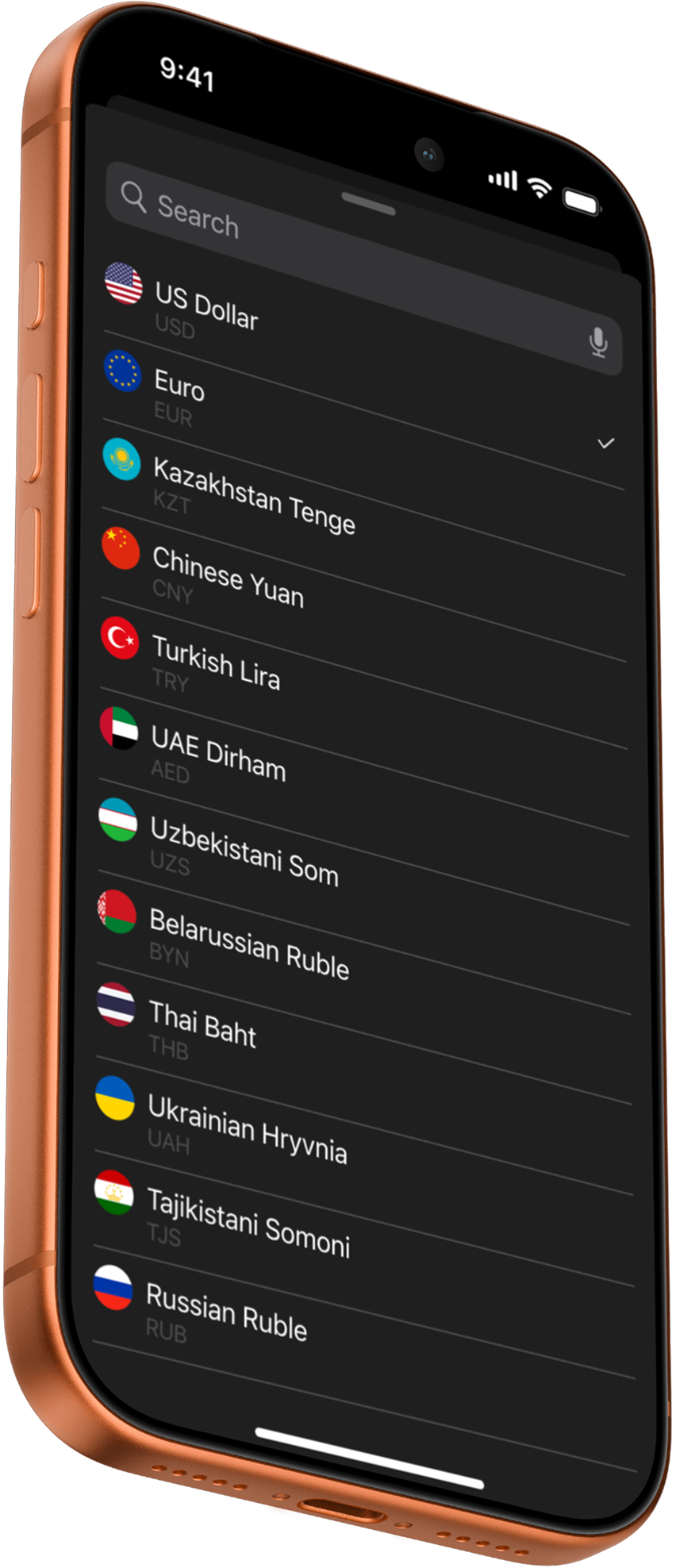
Searchable currency list
Who it is for
The app is built for people on a one- or two-week trip who pay in a foreign currency several times a day: menus, taxis, markets and shop tags. It also helps when you check prices or receipts after the trip, or shop online in another currency.
Frequently asked questions
Is Currency Converter & Scanner free?
Yes, it is free to download and includes free conversions and a few free camera scans. An optional in-app upgrade unlocks unlimited scanning and conversions.
Does the app work offline?
Partly. The app keeps the most recent exchange rate it loaded and any custom rate you set, so you can keep converting without a connection. Fresh rates need the internet.
How does the camera price scanner work?
Point the camera at a price. The app recognizes the number on your iPhone using Apple’s Vision text recognition and converts it into your chosen currency. It does not save the photos.
Where do the exchange rates come from?
Rates come from ExchangeRate-API. Our server checks for new rates four times a day and the app downloads them when it is online. You can override any rate with your own.
Can I use the rate my bank or exchange booth gives me?
Yes. Set a custom exchange rate and the converter and scanner use it instead of the market rate, which shows what you will really pay.
Is there a home screen widget?
Yes. Widgets show your 3 or 6 most used currencies converted into your primary currency. Before your first conversion they show popular currencies against the US dollar.
Know what it costs before you pay
Free on the App Store for iPhone.